Teen Patti Blue Deposit — How to Add Money to Your Account 2026
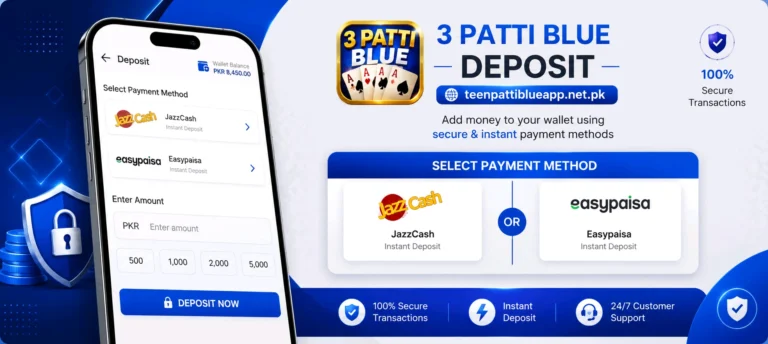
Depositing money on Teen Patti Blue is quick and straightforward. The platform supports JazzCash and Easypaisa — both in Pakistani Rupees. This page explains how to deposit using each method, the limits that apply, and how to fix common deposit problems.
📋 Table of Contents
Supported Payment Methods
Teen Patti Blue accepts three payment methods for deposits. All transactions are processed in Pakistani Rupees (PKR):
JazzCash
Available for deposits. The most widely used mobile wallet in Pakistan. Transfer directly from your JazzCash balance using your wallet PIN.
Easypaisa
Also supported for deposits. Works the same way as JazzCash — enter your Easypaisa number, confirm the transaction, and funds are credited instantly.
Deposit Limits and Processing Time
| Payment Method | Minimum Deposit | Maximum per Transaction | Processing Time |
|---|---|---|---|
| JazzCash | PKR 100 | PKR 50,000 | Instant |
| Easypaisa | PKR 100 | PKR 50,000 | Instant |
Both JazzCash and Easypaisa deposits are credited instantly — chips appear in your balance as soon as the payment is confirmed.
How to Deposit via JazzCash
- Open Teen Patti Blue and log in to your account.
- Tap Wallet or Deposit from the main menu at the bottom of the screen.
- Select JazzCash as your payment method.
- Enter the deposit amount — minimum PKR 100. Check for any active deposit bonus before entering the amount.
- Enter your JazzCash number — this is the mobile number linked to your JazzCash account.
- Confirm the payment — you will receive a prompt on your phone to enter your JazzCash wallet PIN. Enter it to complete the transaction.
- Wait for confirmation — chips will appear in your Teen Patti Blue balance within seconds.
How to Deposit via Easypaisa
- Open Teen Patti Blue and go to Wallet or Deposit.
- Select Easypaisa as your payment method.
- Enter the deposit amount — minimum PKR 100.
- Enter your Easypaisa number — the number registered with your Easypaisa account.
- Confirm via Easypaisa PIN — approve the payment request on your phone when prompted.
- Chips are credited instantly — your balance updates as soon as the payment goes through.
Deposit Tips
- Always double check the amount before confirming — deposits cannot be reversed once processed
- Make sure your JazzCash or Easypaisa balance is sufficient before starting the deposit process
- Do not close the app during a deposit — wait for the confirmation screen before doing anything else
- Start with a small deposit if it is your first time — confirm the process works before depositing a larger amount
- Keep a screenshot of every deposit — save the payment confirmation from your wallet app in case you need to raise a dispute
- Check for active promotions before depositing — timing your deposit during a bonus period gives you extra value
How to Check Your Deposit History
You can view all your past deposits inside the app at any time:
- Open the app and go to Wallet or Profile.
- Tap Transaction History or Deposit Records — the exact label depends on your app version.
- A list of all past deposits will appear showing the date, amount, payment method, and status of each transaction.
- If a deposit shows as pending for more than 5 minutes, take a screenshot and contact customer support with your Game ID.
Deposit Safety
Keep these points in mind every time you deposit:
- Only deposit through the official app — never send money to a number someone gives you on WhatsApp or social media claiming to be Teen Patti Blue support
- Never share your wallet PIN with anyone — no support agent will ever ask for it
- Only deposit what you can afford — treat deposits as entertainment spending, not an investment
- If something looks wrong during the process — stop and contact support before proceeding
Common Deposit Problems and Fixes
Deposit Deducted but Chips Not Credited
Wait up to 5 minutes — some transactions have a short delay. If chips still have not appeared, contact customer support through the in-app live chat. Share your Game ID, the amount, payment method, and a screenshot of the payment confirmation from your wallet app.
Payment Failed or Declined
Check that your JazzCash or Easypaisa wallet has enough balance. Also make sure your wallet PIN is correct. Some wallets require the transaction to be approved within 60 seconds — if it timed out, start the deposit again.
Deposit Option Not Showing
Make sure you are logged in to a registered account — guest accounts do not have access to the deposit feature. If you are logged in and still cannot see it, update the app to the latest version from the download page.
Wrong Amount Deposited
Deposits cannot be reversed once processed. If you deposited more than intended, the extra chips are still in your balance and can be used normally. For any billing disputes, contact support with your transaction details.
Frequently Asked Questions
What is the minimum deposit on Teen Patti Blue?
How long does a deposit take?
Can I deposit without a JazzCash or Easypaisa account?
Is there a maximum deposit limit?
Can I cancel a deposit after making it?
Is it safe to deposit money on Teen Patti Blue?
Final Thoughts
Depositing on Teen Patti Blue takes under a minute using JazzCash or Easypaisa. The process is the same as any regular mobile wallet payment — enter the amount, confirm with your PIN, and chips appear instantly. Always keep a screenshot of your deposit confirmation, start with a small test deposit if it is your first time, and check for active promotions before depositing to get the most value. Once you have chips in your account, you can start playing and withdraw your winnings whenever you are ready.